 Vistobra
Your work on show, with before and after.
A link with your work and the ratings from people who hired you, for your Instagram bio. And the before-and-after card with your branding, ready for your WhatsApp status.
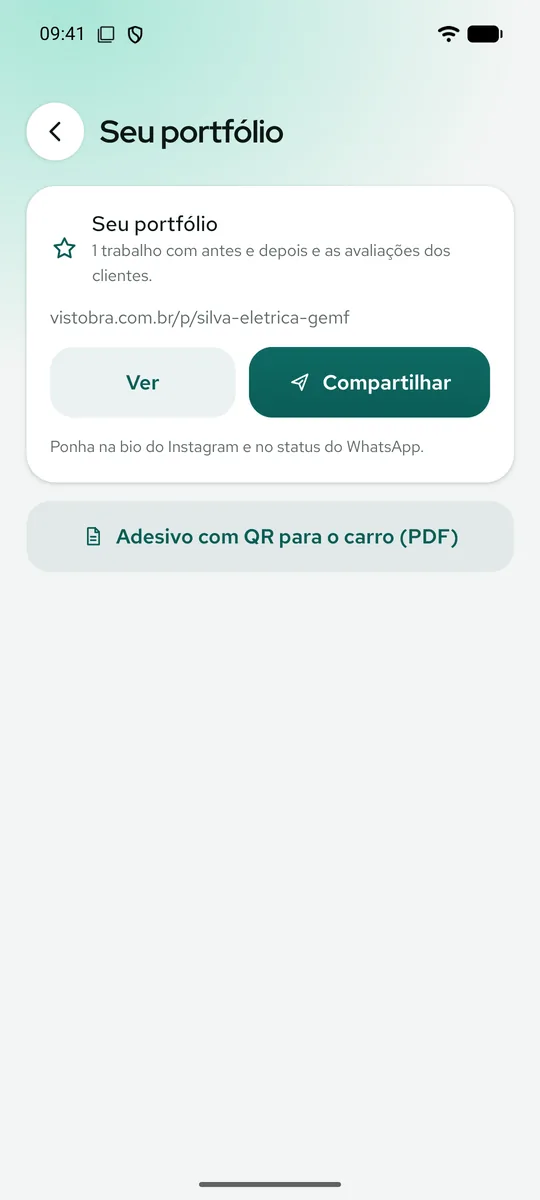
A link for your bio
Your work with before and after and the rating from people who hired you. Without the customer’s address: the review shows only the reviewer’s first name.
See an example portfolioThe card for your status
Choose the job and out comes a before-and-after card with your branding, sized for your status and the Instagram feed.
Whoever sees it gets to you
The QR sticker leads to your portfolio. Stick it where the customer will see it.
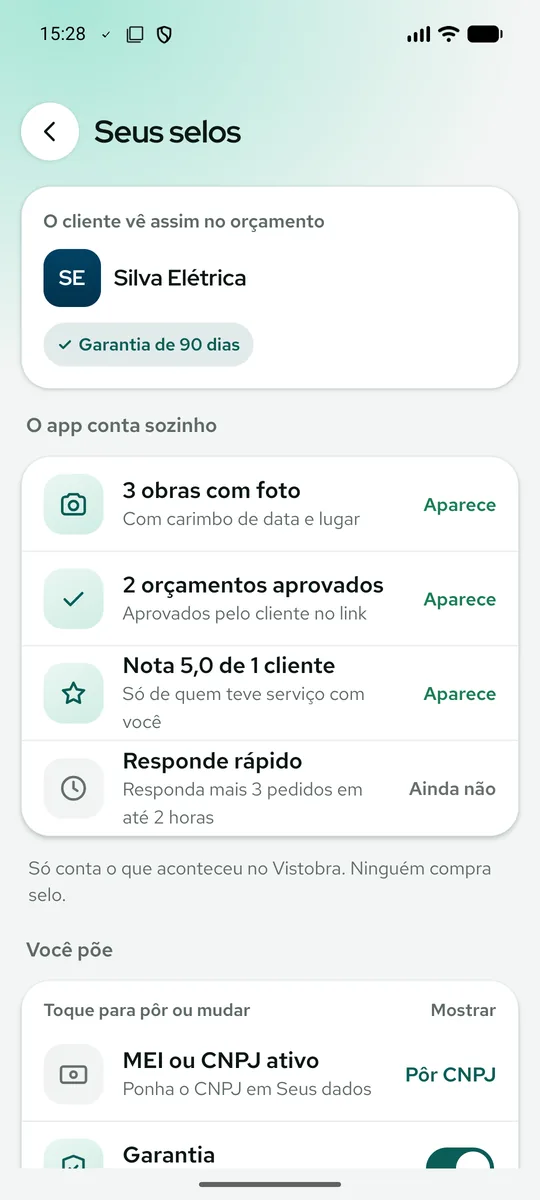
What the app counts by itself
The portfolio shows how many jobs have recorded photos, how many quotes were approved through the link and the rating customers gave. If you usually reply to requests within 2 hours, Replies quickly shows up. Only what happened in Vistobra counts: nobody can buy a badge.
Questions about the portfolio and before and after
Does the customer’s address show?
No. The portfolio shows only the area of the job. The review shows only the reviewer’s first name.
How do the reviews come in?
At handover, the app gets the message ready asking for a rating. The customer reviews through the link, with nothing to install.
Can I enter these figures by hand?
No. The app counts what happened in it by itself. Courses you add yourself, in You › Your badges.
Is it on the free plan?
Yes, with 3 jobs. On Solo, the portfolio is complete and has reviews.
What else you can do
The app reminds you of the 6-month or 1-year service and when to ask for a review and a referral.
Logo, colour, contact details and WhatsApp messages your way, on every document.
Date, time, address and the RO code saved on the photo. Mark the problem with an arrow and a measurement.