 Vistobra
Say the lines. The quote comes out ready and added up.
Say “replace 3 sockets and fit an electric shower” and both lines go in at your price. Out comes the PDF with your branding, the deposit request and the link for the customer to approve.
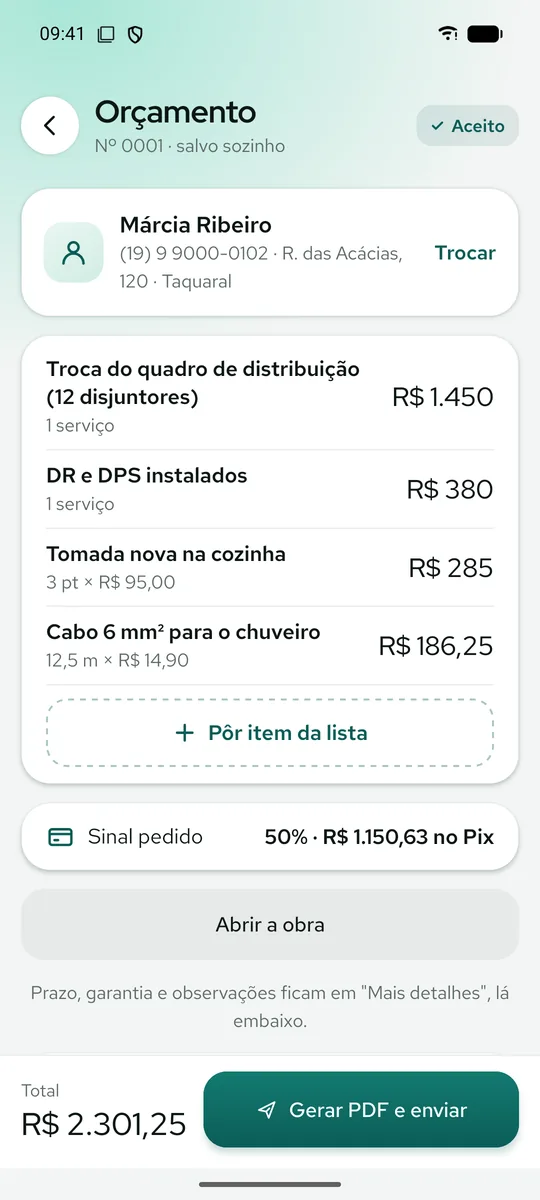
The microphone writes for you
With plaster on your hands, just press and speak. The app splits out each job with the quantity and puts in the price you usually charge.
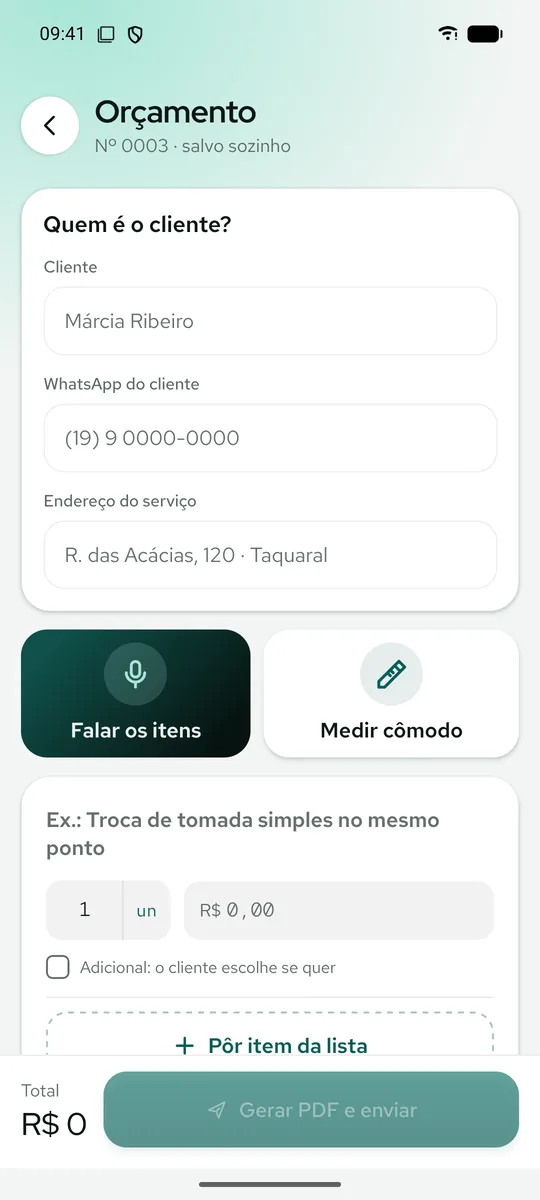
Your trade’s list comes ready
Every trade comes with its job list and the market price range in Ireland. As you type the price of each line, a bar shows where it sits in the range and how high you can go. And the app measures the room: you give the size and it gives you the walls, the floor and the paint.
See prices by trade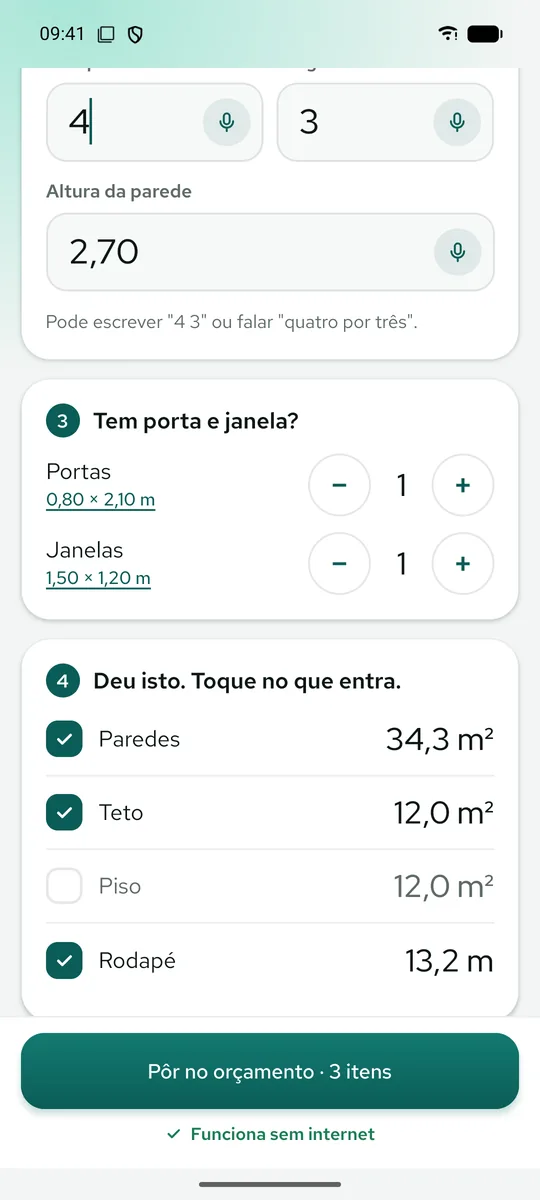
PDF, voice message and link, on WhatsApp
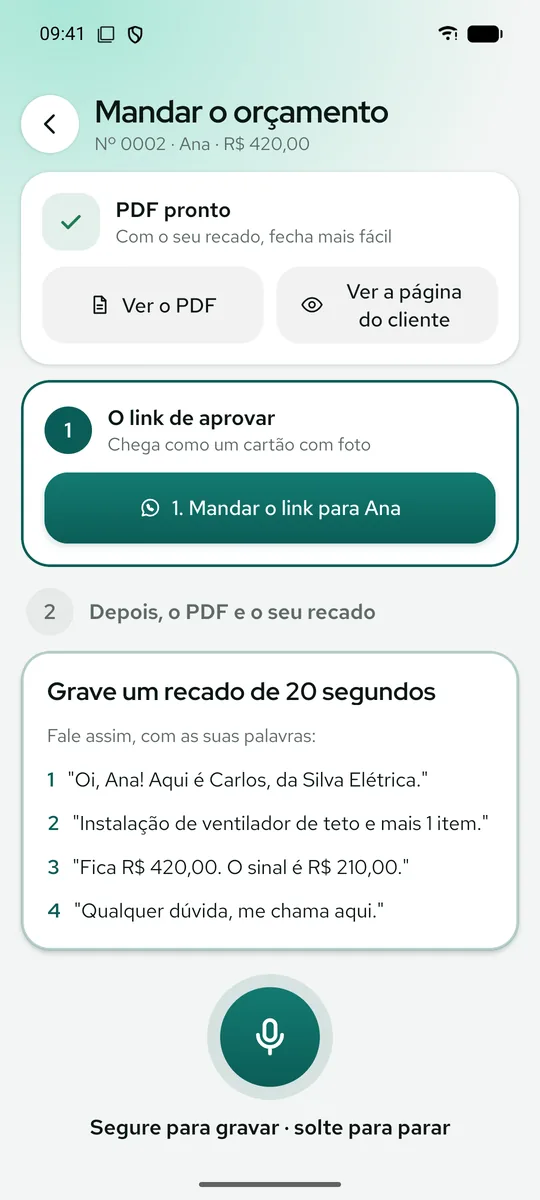
Record a message of up to 20 seconds explaining the quote. The customer opens the link, sees the lines and approves on their phone, with nothing to install. Once approved, it becomes a job in one tap, with the address and the trade checklist already in.
Only those who pay the deposit can approve
Your payment details go with the quote, and the money goes straight into your account, with no fee from us. If you like, turn on Only accept with the deposit paid: the customer pays 50% and taps I’ve paid to approve. You get a notification and check with your bank.
How much deposit to ask for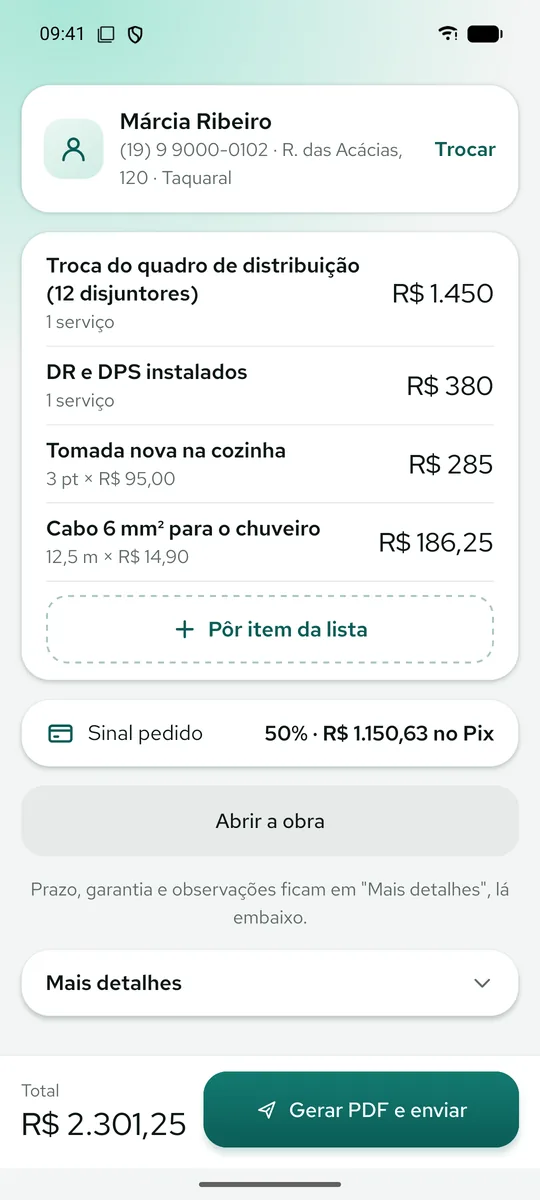
Guarantee and courses on the quote
The PDF and the customer link show your badges: the guarantee days and the courses you’ve done. The app warns you 1 month before a course expires, and an expired course comes off the quote.
Questions about the spoken quote
Do I have to type in the prices one by one?
No. Every trade comes with its job list and the market price range. You change the price whenever you like, and your price then shows first.
Does the quote come out with my logo?
Yes. Your logo, colour and contact details go at the top of the PDF. You choose it all in Your brand.
Can the customer approve without paying the deposit?
Yes, if you let them. The Only accept with the deposit paid switch starts off. When it’s on, the approve button becomes I’ve paid, under the details for paying the 50%.
Does the customer need to download the app?
No. They get the link on WhatsApp, open it in their phone’s browser and approve with one tap.
Does it work with no signal?
It does. You put the quote together and create the PDF with no signal. The customer link goes up when the phone gets signal.
How much does it cost?
You can start free, no card needed. If you subscribe to a plan, you can cancel in one tap.
What else you can do
Customer sent a photo and a voice note? Share them with Vistobra and start the quote or the job, with everything together.
The job changed partway through: note what changed and the amount. The customer signs with a finger.
The right amount to pay, a receipt with the amount in words and a reminder on the agreed day.