 Vistobra
What’s left each month, no spreadsheet.
See what came in, what you spent and what’s left each month. Note fuel or materials in one tap, by saying the amount. Works with no service.
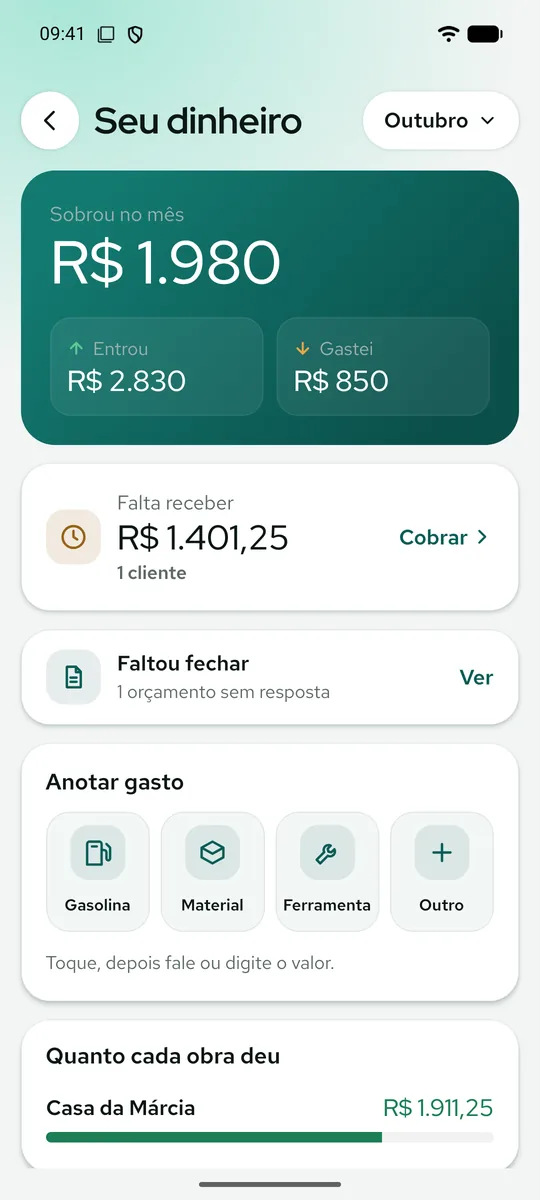
Say how much the fuel was
Tap Fuel, Materials, Tools or Other and say or type the amount. It goes into the month, with today’s date.
What each job really made
Note the materials, the helper and the travel for each job. The screen shows the estimate, what’s come in, the costs and what’s left.
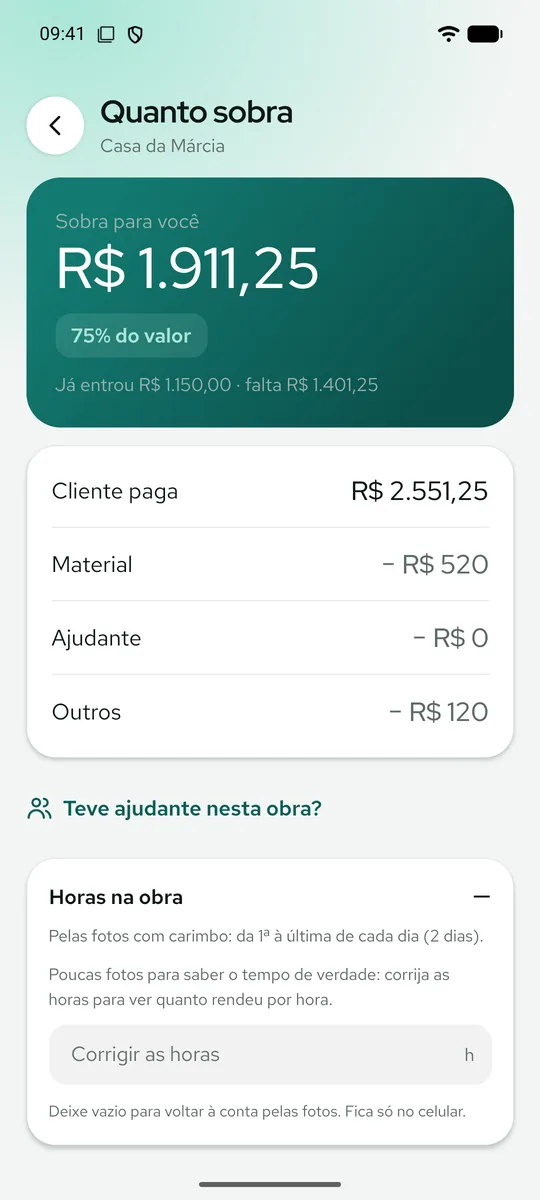
What you’re still going to be paid
The total customers still owe sits at the top. One tap opens the list of who to chase.
A PDF of the month to keep
Create a PDF with what came in and what went out in the month. It’s for keeping or showing your accountant.
3 questions and the app tells you your minimum
Say how much you want to earn a month, how many days you work and your fixed costs. The app works out your hourly rate and your 8-hour day rate. If you like, it raises your hourly and day rates on the list. Prices that are already higher stay the same.
Questions about your money
Do my figures go to the customer?
No. Expenses and profit stay on your phone, and the screen works with no service.