 Vistobra
The job report comes out ready in a few minutes.
Choose the photos, and the text is already put together from what you said. The customer signs with a finger and out comes a PDF with your branding to send on WhatsApp.
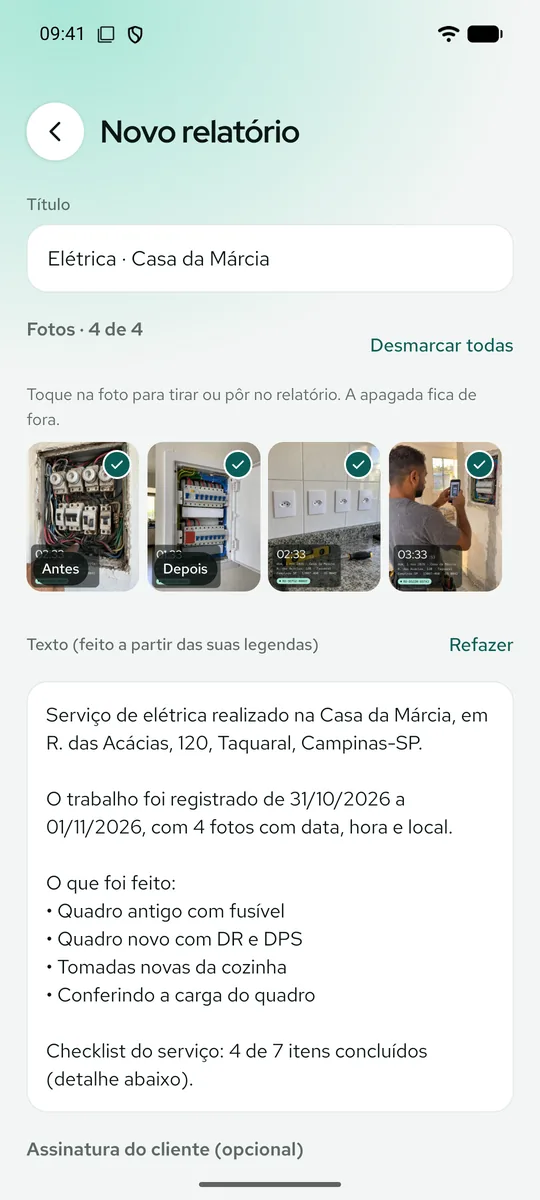
The text comes from what you say
Press the microphone and describe the job your way. Each photo’s caption becomes the job report text, and you adjust whatever you like before creating it.
The app picks the photos for you
It selects 12 photos from the start to the end of the job, always including the first and the last. You take out or add whichever you like.
Electrical and air conditioning with their own checklist
Tick what you checked and note the readings. Electrical follows the final inspection points for an installation, and air conditioning follows a maintenance routine. The PDF says plainly that it isn’t a certificate.
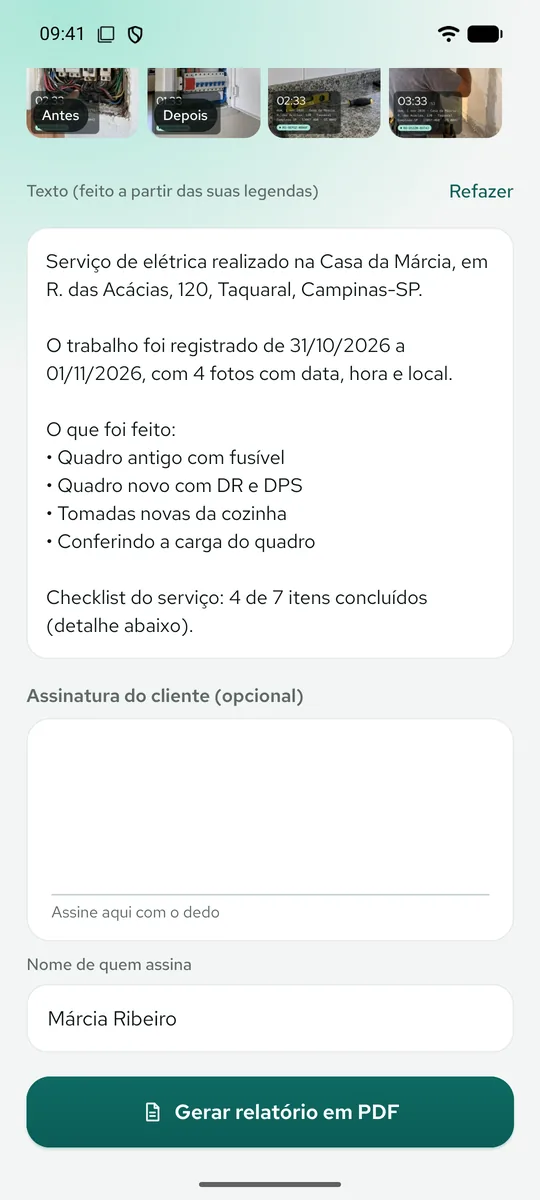
The customer signs with a finger
The signature is optional and goes on the PDF, with the name of the person who received the work.
Questions about job reports and checklists
Does the checklist replace the certificate?
No. It records what you checked and measured on that date. It isn’t a certificate, it doesn’t say the installation meets the regulations and it doesn’t replace a certificate from a qualified person.
Can I send it to the building manager?
Yes. The PDF comes out ready to send to the customer or the building manager on WhatsApp.
Do I need signal?
No. The job report and the checklist are done on the phone, with no signal.
What else you can do
Date, time, address and the RO code saved on the photo. Mark the problem with an arrow and a measurement.
They take photos with the same stamp. Prices and the customer’s contact details stay with you.
Logo, colour, contact details and WhatsApp messages your way, on every document.