 Vistobra
The customer sent a photo and a voice note. It becomes a quote.
In WhatsApp, tap Share and choose Vistobra. The photos and the voice note go in together. You say who it’s from and choose: put the quote together or, if it’s already agreed, open the job.
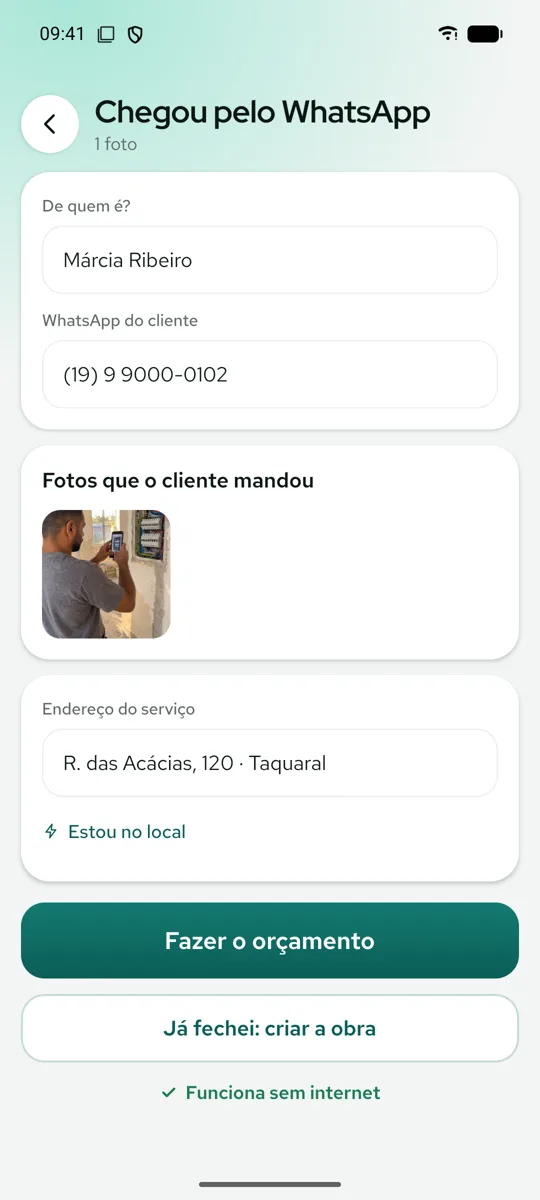
From WhatsApp to the app in one tap
Press and hold the photo or the voice note in WhatsApp, tap Share and choose Vistobra. You can send several photos at once.
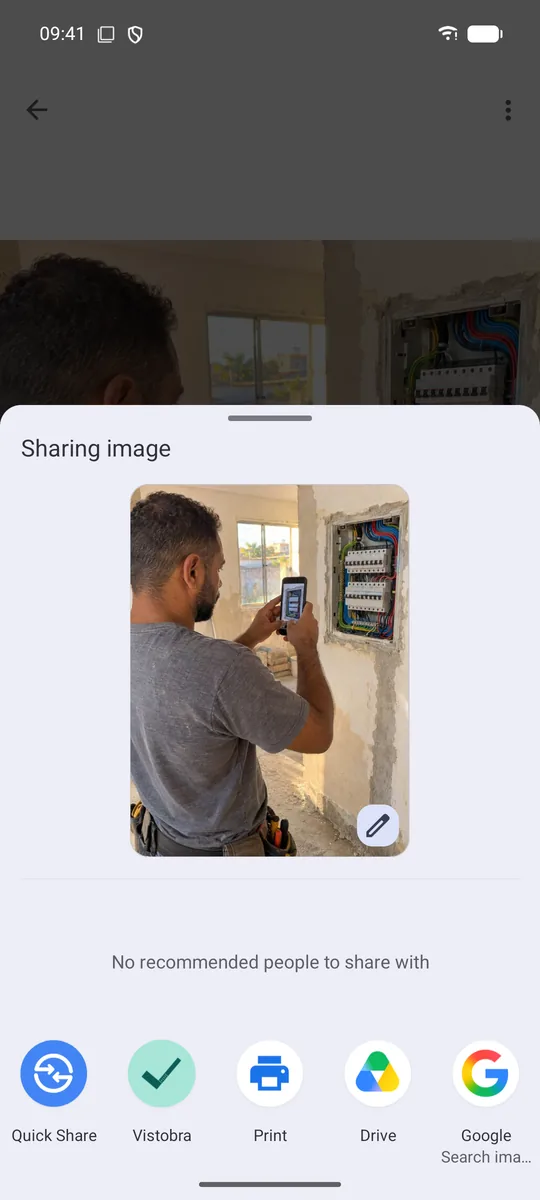
The photos become the visit photos
On the quote, the photos the customer sent are kept as visit photos. The voice note stays with them, so you can listen again before you give a price.
Open the job straight away
If the job is already agreed, choose to create the job and the photos go into it.
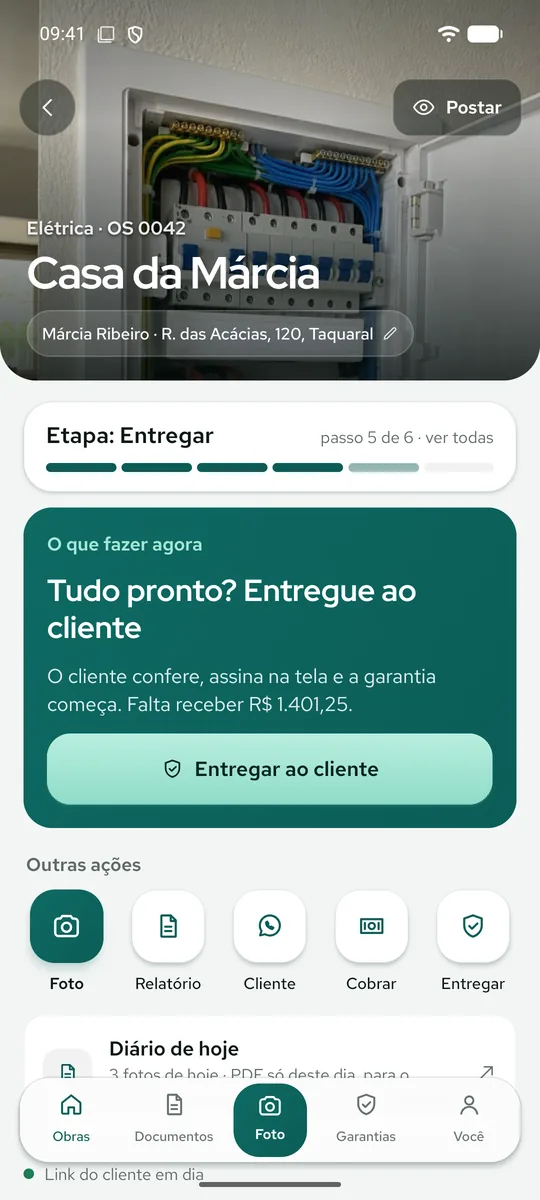
By name, the app finds the customer
WhatsApp doesn’t send the number with the photo. Type the name and the app finds who’s already your customer. Type the address or tap “I’m on site”.
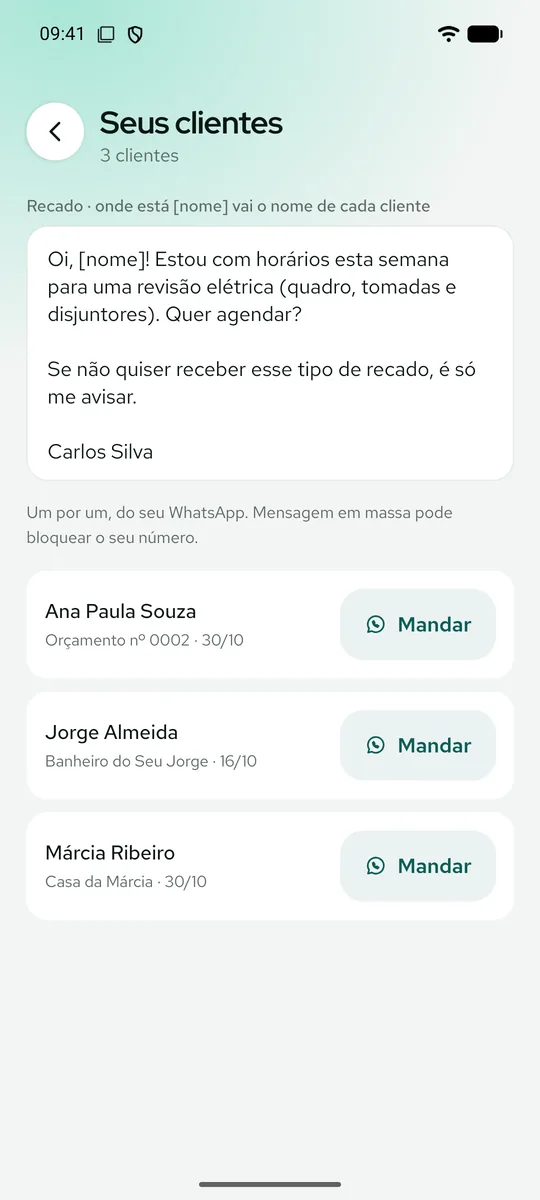
Replies while you’re on the job
On the Solo plan, the app writes the away message, the greeting and the quick replies with your name, your payment details and where you work. One tap copies the text and opens WhatsApp Business, and you paste it in Tools. If your payment details change, the app reminds you to paste it again.
Questions about photos and voice notes from WhatsApp
Does it work with WhatsApp voice notes?
It does. The voice note goes in with the photos and is kept on the quote or the job.
Does the app read my chats?
No. Only what you choose to share goes in. The app can’t see the rest of WhatsApp.
Do I need WhatsApp Business for the assistant?
Yes. The away message and quick replies only exist there. It’s free and uses the same number.
Does it work on iPhone?
Not yet. For now Vistobra is Android only.
How much does it cost?
You can start free, no card needed. If you subscribe to a plan, you can cancel in one tap.
What else you can do
Say “replace 3 sockets and fit an electric shower” and the lines go in at your price. The app measures the room, works out the paint and puts the deposit on the quote.
Date, time, address and the RO code saved on the photo. Mark the problem with an arrow and a measurement.
The app reminds you of the 6-month or 1-year service and when to ask for a review and a referral.